Why Your Service Area Pages Are Failing to Rank in Adjacent Towns
Why Your Service Area Pages Are Failing to Rank in Adjacent Towns (And How to Fix the Proximity Trap)
If you are a service-area business (SAB) owner – a plumber in Phoenix, a roofer in Dallas, or a landscaper in Atlanta – you know the frustration of the “invisible wall.” You have a beautiful website, you’ve checked all the boxes on your Google Business Profile (GBP), and you serve a 20-mile radius. Yet, for some reason, your visibility drops off a cliff the moment you cross the town line. You rank #1 in your home office zip code, but you are nowhere to be found five miles away in Town B.
This is what I call the “Proximity Trap.” As a Google Business Profile Product Expert, I see this every single day. Business owners assume that telling Google “I serve these towns” is enough to make them appear in search results for those towns. It isn’t. In fact, many of the strategies people use to fix this – like the dreaded “laundry list” of cities in the footer – actually do more harm than good. If you’ve noticed your rankings slipping or never appearing in the first place, you might need to investigate Why Your Business Profile Vanished From Search and How to Fix It.
To win in local search, you have to understand the triad of Google’s local ranking algorithm: Relevance, Distance, and Popularity. When you are trying to rank in an adjacent town, you are already losing the “Distance” battle. To compensate, your “Relevance” and “Popularity” signals must be twice as strong as the local competitor who actually has an office in that town. In this guide, I’m going to break down exactly why your current service area pages are failing and how to build a local SEO strategy that actually moves the needle.
The Proximity Trap: Why Google Hates Your “Adjacent” Ambitions
Google’s primary goal is to provide the most convenient, relevant answer to a user’s query. If a user is standing in Town B and searches for “AC repair,” Google’s algorithm is heavily weighted to show businesses physically located in Town B. This is the mathematical disadvantage of proximity. Distance is a core ranking factor that you cannot simply “SEO” away with a few keywords.
When you attempt to rank in a town where you don’t have a physical address, you are fighting against a filter designed to prioritize the closest option. Many businesses try to circumvent this by using virtual offices or P.O. Boxes, which is a fast track to a profile suspension. Instead, you must focus on google business profile seo strategies that prove your physical presence in those areas through activity rather than just an address.
The Proximity Trap is getting tighter. With the rise of “near me” searches and mobile-first indexing, Google’s “search radius” has shrunk. It’s no longer enough to be in the same county; Google wants to see that you are an active participant in the specific neighborhood where the search is occurring. If your website doesn’t provide explicit proof of your work in Town B, Google will default to the guy around the corner from the searcher, even if your business is ten times larger and has better reviews.
The “Laundry List” Failure: Why Generic Service Area Pages Don’t Work
The most common mistake I see is the “Service Areas” page that consists of a map of the state and a bulleted list of 50 different towns. This is a relic of 2010 SEO. To Google, this is thin content. It provides zero “Local Justification.” A list of names doesn’t prove you work there; it just proves you can copy and paste from a Wikipedia list of municipalities.
When you create these low-effort pages, you fall into what I call the “doorway page” trap. Google’s guidelines are very clear about doorway pages – pages created solely to rank for specific geographic queries without providing unique value. If your Town A page and Town B page are identical except for the name of the city, you are likely suffering from 4 City Page Blunders That Are Handing Your Leads to the Competition. Google wants proof you were actually there.
Think of it from a user’s perspective. If I live in a historic district in Town B and your page just says “We serve Town B,” that’s generic. If your page mentions that you recently handled a complex plumbing install near the historic town square or mentions the specific challenges of the local soil in that area, you’ve provided value. You’ve proven relevance. Without this, your page is just digital noise that Google’s algorithm is increasingly trained to ignore.
Anatomy of a High-Ranking Service Area Page
To rank in an adjacent town, your location page needs to be a powerhouse of local signals. It shouldn’t just be a “service” page; it should be a “local resource” page. Here is the blueprint for a page that actually ranks:
1. Hyperlocal Content and Landmarks
Stop talking about your business and start talking about the town. Mention local landmarks, major intersections, or even local high schools. If you’re a roofer, talk about the specific types of homes common in that neighborhood. This creates a semantic link between your business and the specific geography of Town B.
2. Embedded Google Maps
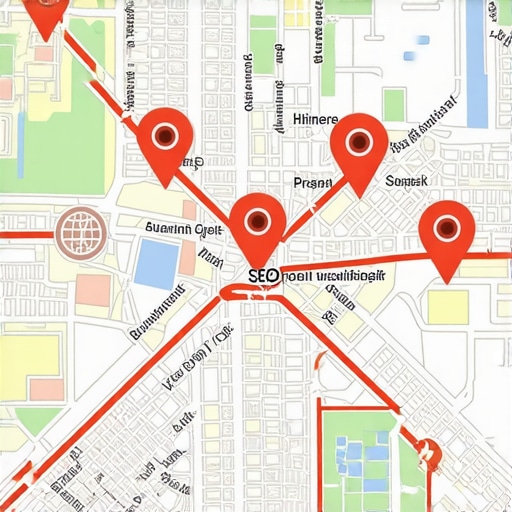
Don’t just embed a map of your office. Embed a map that shows your service area for that specific town. Better yet, embed a map that shows a “cluster” of recent jobs you’ve done in that area. This provides a visual and technical signal to Google that your service radius genuinely covers this location.
3. Town-Specific Reviews and Testimonials
This is the “Holy Grail” of local justification. If you have a customer in Town B, get a review from them and feature it prominently on the Town B service page. Use local seo tools to audit which of your reviews mention specific locations. Seeing a review from a neighbor is a massive conversion signal for users and a massive relevance signal for Google.
4. Geo-Tagged Photos of Local Jobs
Photos are data. When you take a photo of a completed job in Town B, it contains metadata (EXIF data) that includes the GPS coordinates of where the photo was taken. While Google’s treatment of EXIF data is debated, the visual AI can certainly recognize local landmarks and streetscapes. Posting these photos on the specific town page – and on your GBP – is vital. To understand how this fits into your broader site structure, check out The Internal Link Strategy That Finally Fixed Our Maps Ranking Plateaus.
Leveraging the Google Business Profile (GBP) for Multiple Towns
Your website pages and your Google Business Profile must work in tandem. You cannot rank a service area page if your GBP is sending conflicting signals. While Google only allows you to have one physical address (per location), your “Service Area” settings should be carefully curated. Don’t just select the entire state; select the specific counties or zip codes that match the pages on your site.
One of the best ways to rank google business profile results in adjacent towns is through GBP Posts. Use your posts to highlight “Recent Projects” in specific towns. A post titled “New Roof Installation in [Town B]” with a photo of the project and a link back to your Town B service area page creates a powerful local signal loop.
However, be careful not to overextend. Many business owners ask, Is Your Service Area Too Large? 3 Maps Ranking Fixes for 2026. If you claim a 100-mile radius but only have activity in a 5-mile radius, Google will eventually stop showing you for those distant queries because you lack the “Popularity” and “Relevance” to justify the “Distance.” You also need to keep an eye on the future; make sure you’re reading up on 7 Google Business Profile Tips to Get Ready for the 2026 Algorithm to stay ahead of the curve.
Technical & Schema Requirements for Local Dominance
Beyond the visible content, there are “invisible” signals that help Google’s bots understand your geographic reach. The most important of these is LocalBusiness Schema. Specifically, you should be using the `areaServed` property within your JSON-LD. This tells Google explicitly, in a language it speaks fluently, which towns and zip codes your business covers.
Most businesses implement schema incorrectly by only putting it on the homepage. Your Town B page should have its own specific schema that reinforces its connection to Town B. If you find this technical aspect daunting, you might consider a professional google maps ranking service to ensure your site’s code isn’t holding you back. Many implementations fail because they don’t sync properly with the GBP data, which I discuss in Why Most Local Schema Implementations Fail to Sync with Maps.
Internal linking is the final piece of the technical puzzle. Your main service pages (e.g., “Water Heater Repair”) should link to your specific location pages (“Water Heater Repair in Town B”). This passes authority down to the location pages and tells Google that these pages are an integral part of your business structure, not just orphaned “SEO pages” floating in the abyss.
Conclusion: Overcoming the Distance Gap
Ranking in adjacent towns is not a matter of luck; it’s a matter of intentionality. You are fighting an uphill battle against the “Distance” factor, which means your “Relevance” and “Prominence” must be undeniable. Stop relying on generic “Areas We Serve” lists and start building hyperlocal resources that prove your value to each specific community you serve.
By combining high-quality, unique location pages with an active Google Business Profile and technical schema, you can effectively expand your “circle of influence” on Google Maps. It takes more work than a simple list of towns, but the reward is a steady stream of local leads from the very towns where you used to be invisible. If you’re ready to stop guessing and start dominating your local market, it’s time to look into professional google business profile optimization to ensure every signal you send to Google is working in your favor. Audit your location pages today – are they providing proof, or just promises?